New year's frame
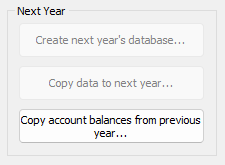
Create next year's database
This does exactly as it says: Creates an empty set of accounting tables ready to receive your next year's data. Normally you do this at the end of your fiscal year. In the screenshot above you may notice that the two upper buttons are disabled. This is because you have not yet acquired and imported next year's license!
Copy data to next year....
Normally you want to copy your current accounts, dimensions, groups etc to the next year so everything is ready to start entering vouchers i January. Some of you even want to copy your budgets over if there are just small changes in amounts or other values compared to last year. By default ALL relevant data will be copied, but in this window you will be able to uncheck iitems which you DO NOT WANT TO COPY to the next year:
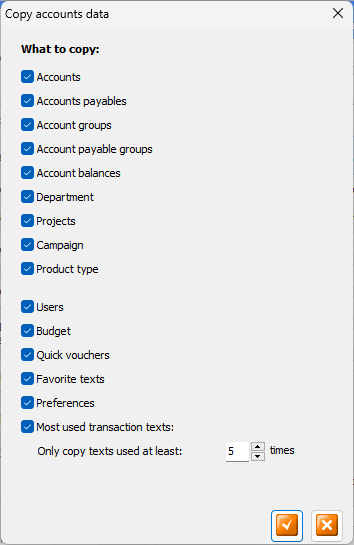
Everything is checked by default, but you may edit the list to your liking.
By clicking the OK button here, all data you did not unselect will be copied to the next year. So from now you may close this accounting, and then open the next year and start adding vouchers. Once the next year is opened, it is also a good idea to proceed to the next step below:
Copy account balances from previous year....
When you open the new year's accounting for the first time you may want to copy the previous year's closing balances from your balance accounts and your Accounts Payables / Receivables. You actually do this each time you click this button.
NOTE
As the final adjustments of the previous year's accounts may continue into the new year, you may need to repeat the balance import each time the previous years accounts has been updated, until the last month of the previous year has been locked. You will see a warning message on the reporting screen if this year's opening balances don't correspond with the previous year's closing balances!
Return to parent Accounts Settings