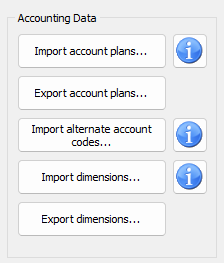
Import Chart Of Accounts
When you have received your license and are about to start your first accounting, it's a good idea to import a basic grouped Chart of Accounts to use as a point of departure. Please find more information about this situation here. You may also export the current, grouped accounts plan from another accounting and import it here.
If you want to manually create an importable grouped accounting plan in a spreadsheet like Excel, you may find important information about its CSV layout by clicking the blue 'i' button to the right hand side.
In that case you may not want to import most of the named accounts payables / receivables accounts:
Select files with the main/foreign language combination that suits your license and import both the mainbook and debcred templates.
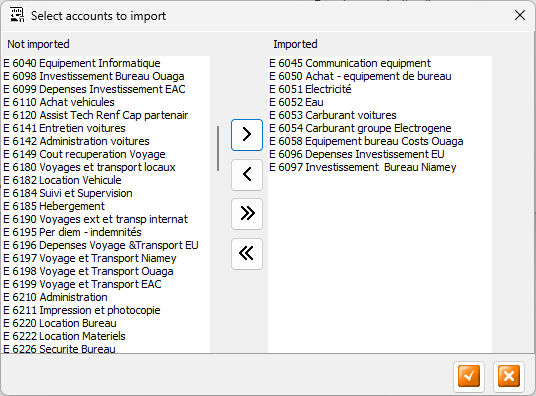
During the process you may deselect accounts or sub groups that you do not want. Click the Move to Right or Move to Left until you have selected what you need.
Make sure although that you always have to at least keep the four Mainbook ROOT account groups: Assets, Debts, Incomes and Expenses
Export your Chart Of Accounts
If you need or want to share your current Chart of Accounts with others, you may export it by clicking this button. Remember you may edit the exported file further to your liking, using a spreadsheet software like Excel. Remember though to not REMOVE or ADD any COLUMNS (paying close attention to the fields' description from the corresponding Import's blue 'i' button) saving it in the SAME (CSV) FORMAT.
Import alternate account numbers
As accounts numbering schemes may vary in different countries, you may import an alternative set of accounts numbers which you may modify in the Accounts Edit form here. To switch on these alternate account numbers in your reports, please tick the Alt. account codes checkbox on the Reporting form:
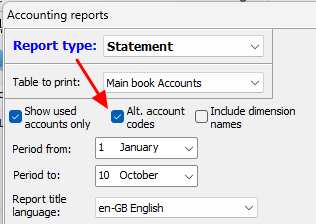
Many of our customers having donors or fundraisers on other continents use such alternative account numbers for better adaption to their own accounting systems. By default the above checkbox is unchecked, i.e. that the 'normal' / transaction-mode account numbers are displayed.
Import Chart of Dimensions
Here you may import dimension data from other accountings. Make sure you import your data into the correct corresponding dimension in your accounting!
Export Chart of Dimensions
Here you may export any of your dimension lists for later import into another accounting. Remember that you may modify the file to your liking in a spreadsheet software like Excel. Remember though to NOT remove or add any columns, changing row data only, and save it in the same format as it was retrieved.
Return to parent Accounts Settings