IMPORTANT: Locking months
A report from a certain accounting period isn't worth the paper it is written on if its transactions or balances still can be modified by those who created the report. To properly indicate this 'vulnerable' situation, the keyword 'Preliminary*' is CLEARLY printed in the report header of ALL reports containing data covering non-locked periods. So before you are ready to create 'final' or conclusive reports, always make sure that you have locked the LAST month your report is covering.
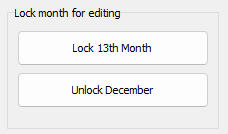
The upper button on the above panel does exactly this, it locks the next unlocked month of your accounting.
NOTE: Do not lock January before the previous year's accounts have been properly audited and you have finished the 'Copy balances from last year' procedure.
Month locking will not be undone by BushSoft unless approved by the parties receiving your reports. In those rare cases THEY may contact BushSoft to have us issue an unlock code for you to use.
However, always remember that the 'normal' way to handle posting errors for locked months is to create a corrective voucher in a succeeding unlocked month.....
Return to parent Accounts Settings