Frame Main-office - Suboffice
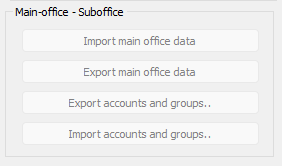
A small number of our users use this feature. They have a 'Main office' (project headquarter) which have their own accounting. In addition there are a number of 'Sub offices' and each of these have their own accounting (because they need to have access to their own vouchers and accounts details). However, after each month is locked they Export their monthly accounting to the Main office so the Main office may create reports with data compiled from both the Main office and ALL Sub-offices. Like a corporate accounting.
In order for this to work as intended it is crucial that EVERY sub-office have Charts of Accounts and Dimensions which are exactly equal to their Main Office. The buttons in this frame help them to achieve this.
Return to parent Accounts Settings