Assign your own root accounting groups to the app's internal hierarchy.
Open the Settings / Accounts Settings tab.
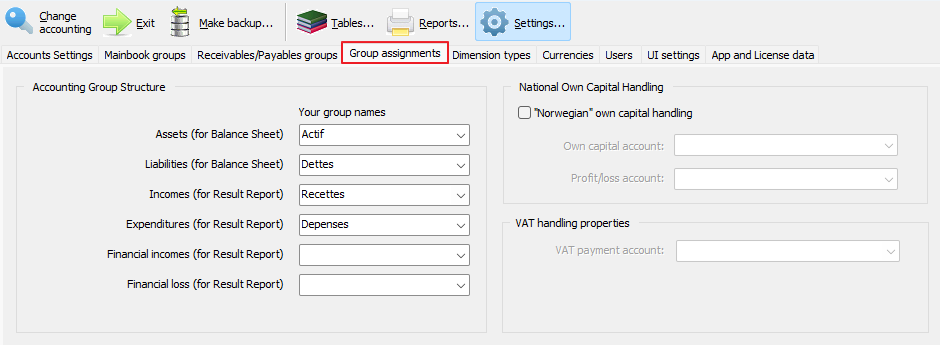
Click on the 'Your group Names' dropdownboxes' black, right triangle in order to select the proper group name for each row.
It is crucial that your Chart Of Accounts at least has the following four main root groups: Assets, Debts, Incomes and Expenses. See the Mainbook groups page!
The Financial incomes and expenses groups are NOT mandatory.
Don't forget to click the green 'Save' button in the footer when finished!